Fixing Distortions in Stitched Panoramas
A Simple Graphics Utility Written in Processing v0067 Alpha
|
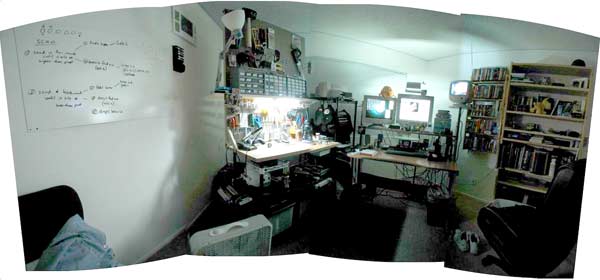
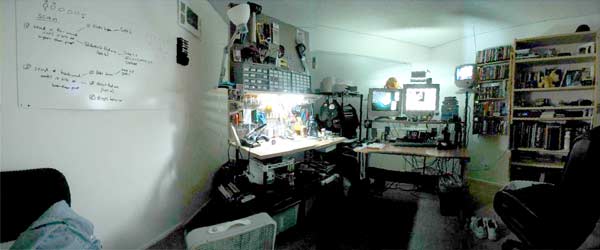
When stitching together photos to create a panorama, very often I don't have the camera
level on the tripod - on purpose. Though I sweep through level with the pan handle, I'll
have the camera tilted up or down to get what I want in the shot. This throws off the
verticals, creating distortion.
|
Because of the distorted verticals, when stitched, the panorma pulls in on one side and
pushes outward on the other, creating a curved image. This has to do with the verticals
in the shot moving unequally across the top and bottom edges of the image. They move more
across the top edge of the image, which makes that side longer.
|
I've had the idea for awhile, but I don't very much about graphics processing, especially
in terms of how to load an image and manipulate its pixels. I understand a lot of the
theory, but until Processing came along, it was complicated.
I'd have to use Perl with an image library, PHP on a server, or running off a local server,
or try to figure out C++.
|
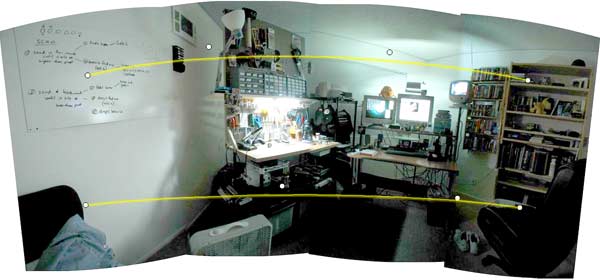
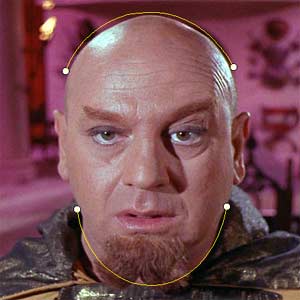
In the utility I wrote last night, you click out 2 lines, each made of 4 control points.
They're both quadratic bezier curves, if you need to know. Though they look different,
the white dots are control handles that work exactly like the ones in Illustrator, Flash,
or Photoshop for controlling the shape of curves in those programs. Once you click out the
lines (a process I'll soon automate), you can move them into position with the mouse. Here
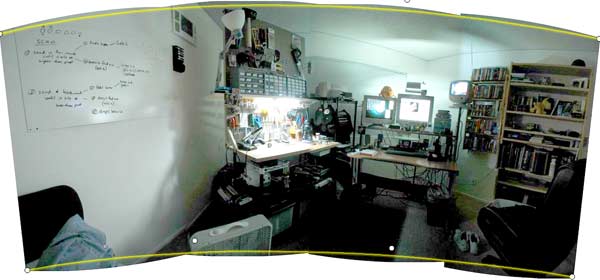
I've lined up the curves with the top and bottom edges, as closely as I can fit them.
|
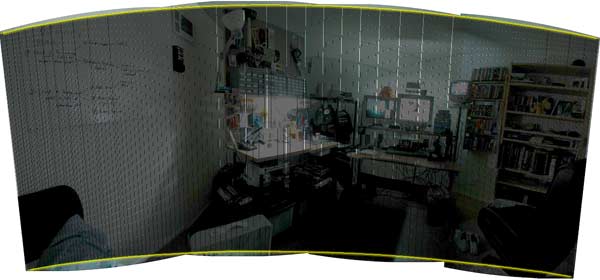
This step isn't necessary - I added it to help visualize what's going on. In short, it runs
along both yellow rails you've created, simultaneously, and reads the line of pixels between
each pair of points. The yellow rails become the image's x direction, and the lines between
become the y direction. It takes each line and stacks it into a new image from left to right.
The number of points if traces along the yellow rails and the number of steps it takes between
points between the rails are equivalent to the width and height of the output image, specified
in the code.
|
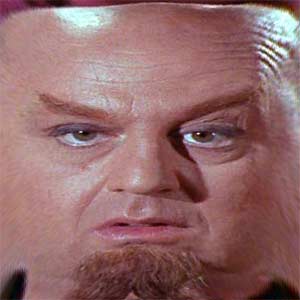
And here's the output - a straightened-out image. It may defy the laws of the original camera
setup somewhat, but it looks fine, and you don't lose all the edge and corner pieces that you
would lose in a regular rectangular cropping.
|
There are several other uses, of course. One of which is unwrapping faces for texture mapping.
Next up, I'd like to add in indefinite beziers, so you can make lines with more than 4 control
points. I'd also like some mouse-controls and feedback while you're moving points. Also, Java
is fast enough that this can be real-time, so as you move control points, you'll see the output
image, but having both images will require the ability to zoom and pan, etc. The list goes on
and on. For now, it's a nice hack, despite the code being a bit of a mess.
|